Every feature built to connect talent decisions to reality.
Proficia360 is a graph-powered talent intelligence platform that unifies organisational hierarchy, skills assessment, and workforce planning into one connected system.
A platform already rich with data.
Proficia360 ships with the AICB Future Skills Framework and banking domain data pre-loaded—so you start with a populated graph, not an empty shell.
3+
Domains
Banking, Plantation & custom
191
Job Roles
Pre-configured & extensible
222
Skills
Connected to roles & clusters
1,110
Proficiency Levels
Behavioural indicators mapped
27
Job Clusters
Organised by domain
24
Sub Sectors
Industry-specific coverage
See every screen in action.
Real screenshots from the Proficia360 workspace—showing exactly what you get when you log in.
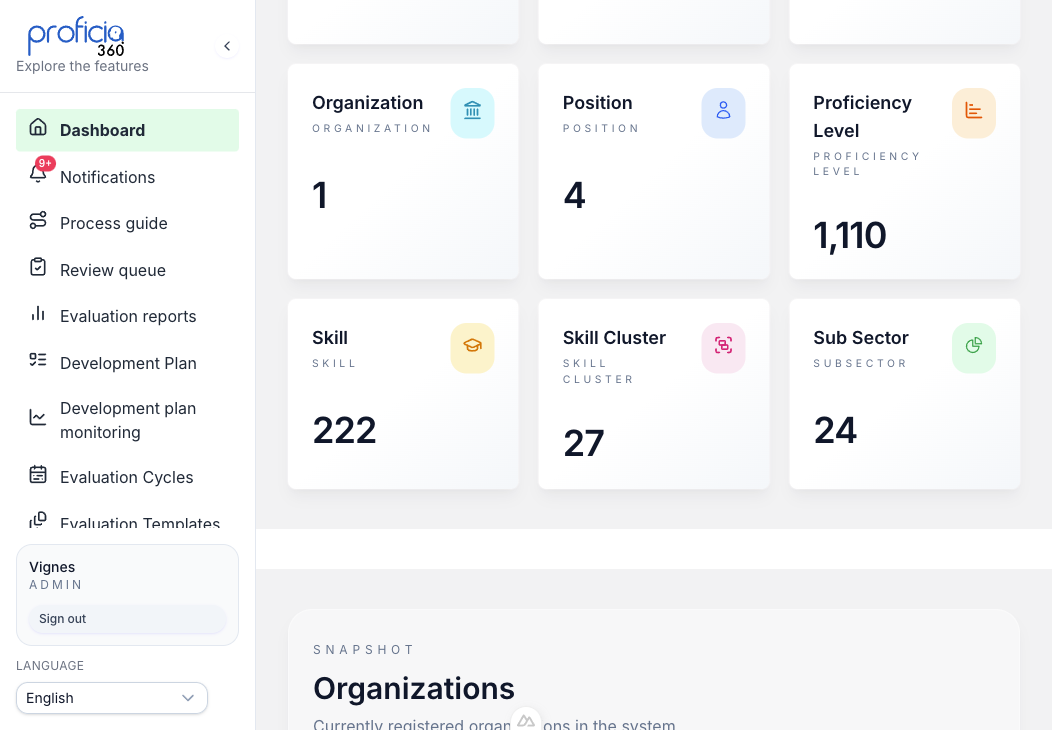
Live Data Statistics
The home dashboard gives you an instant snapshot of your talent graph—domains, job clusters, roles, skills, proficiency levels, and organizations—all at a glance with real-time counts.
- 9 key metrics visible at a glance
- Organization directory with industry and size
- Real-time graph node and relationship counts
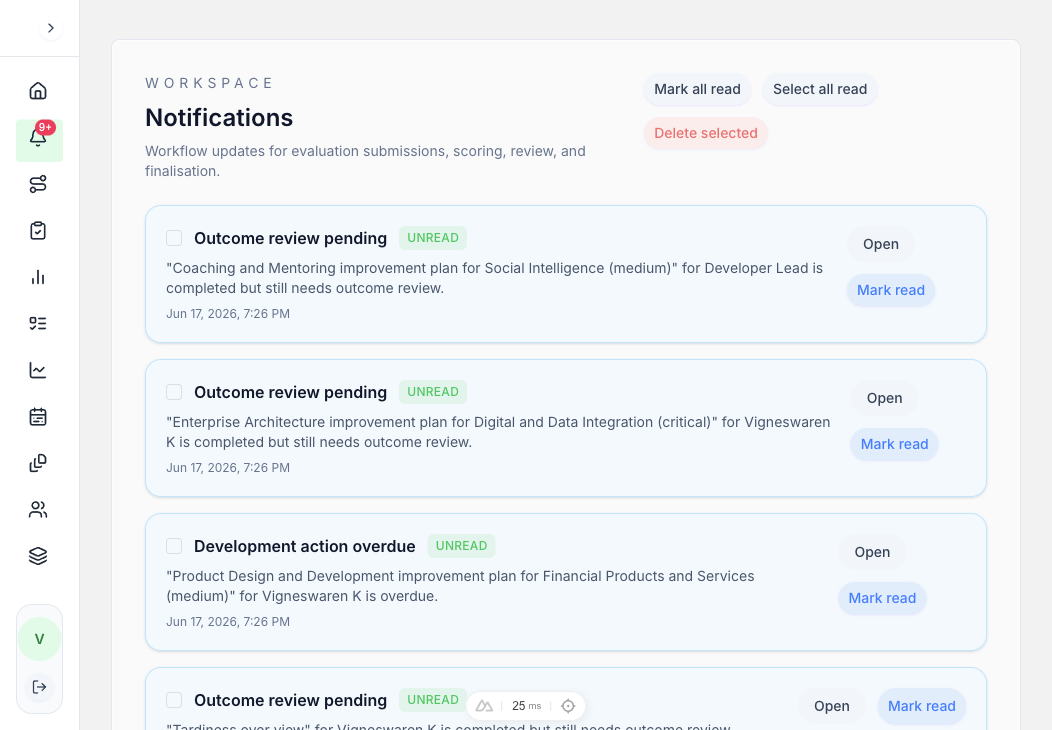
Workflow Notifications
Stay on top of every evaluation, review, and development plan. The notification centre shows unread workflow updates with timestamps, open links, and bulk actions like mark-all-read and delete.
- Unread badge count in sidebar
- Evaluation, scoring, review, and finalization alerts
- Bulk select, mark read, and delete actions
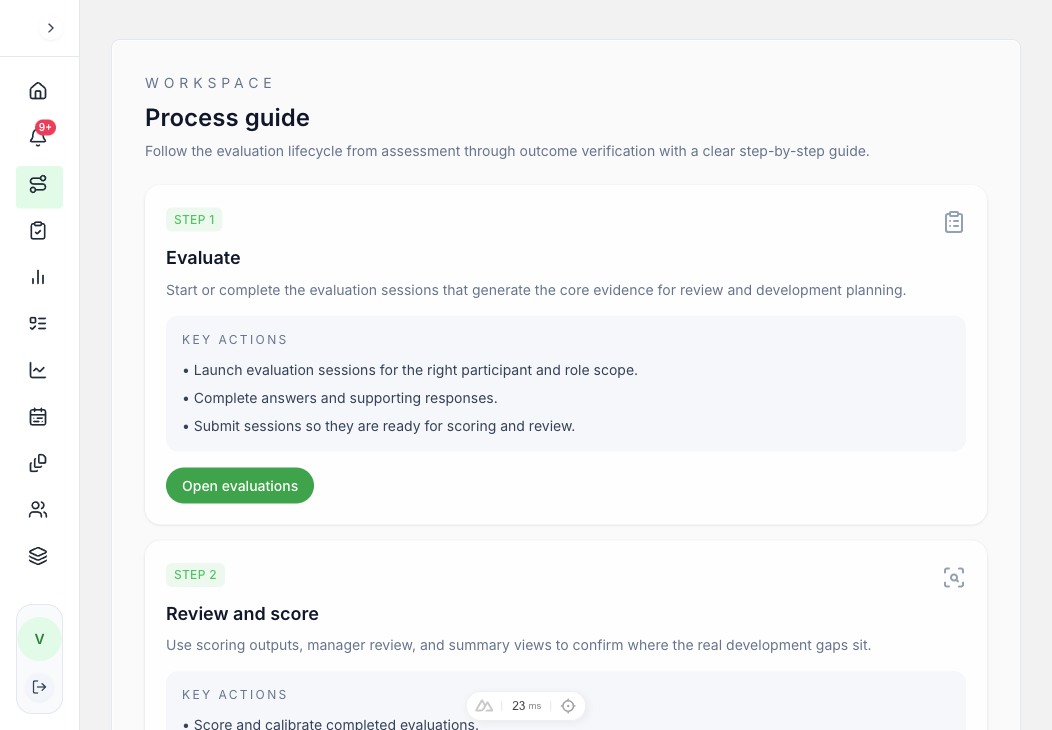
Guided Evaluation Lifecycle
A step-by-step process guide walks users through the entire evaluation lifecycle—from launching sessions to building development plans and reviewing outcomes—so no step is missed.
- 4-step workflow: Evaluate → Review → Plan → Outcomes
- Key actions listed per step with direct links
- Built-in guidance for new users and managers
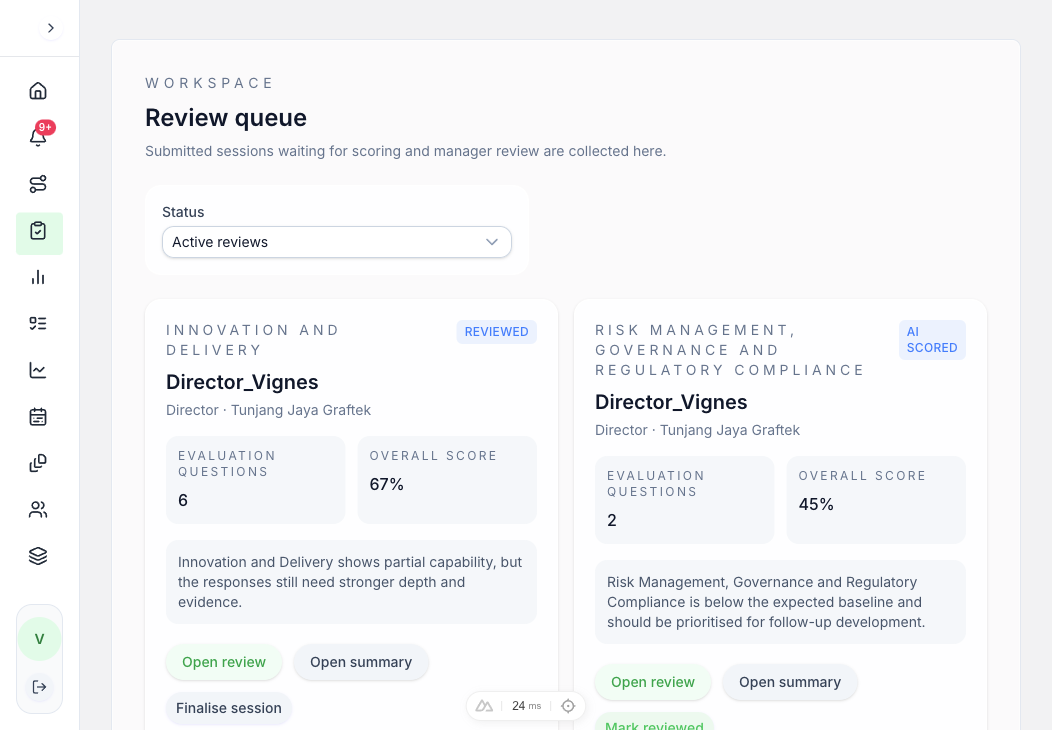
Evaluation Review Queue
Submitted evaluations land in the review queue where managers can score, review summaries, finalize sessions, and mark items as reviewed—all from a single organised list.
- Status filters and participant details
- AI-scored and manager-reviewed indicators
- Open review, open summary, finalise, and mark reviewed actions
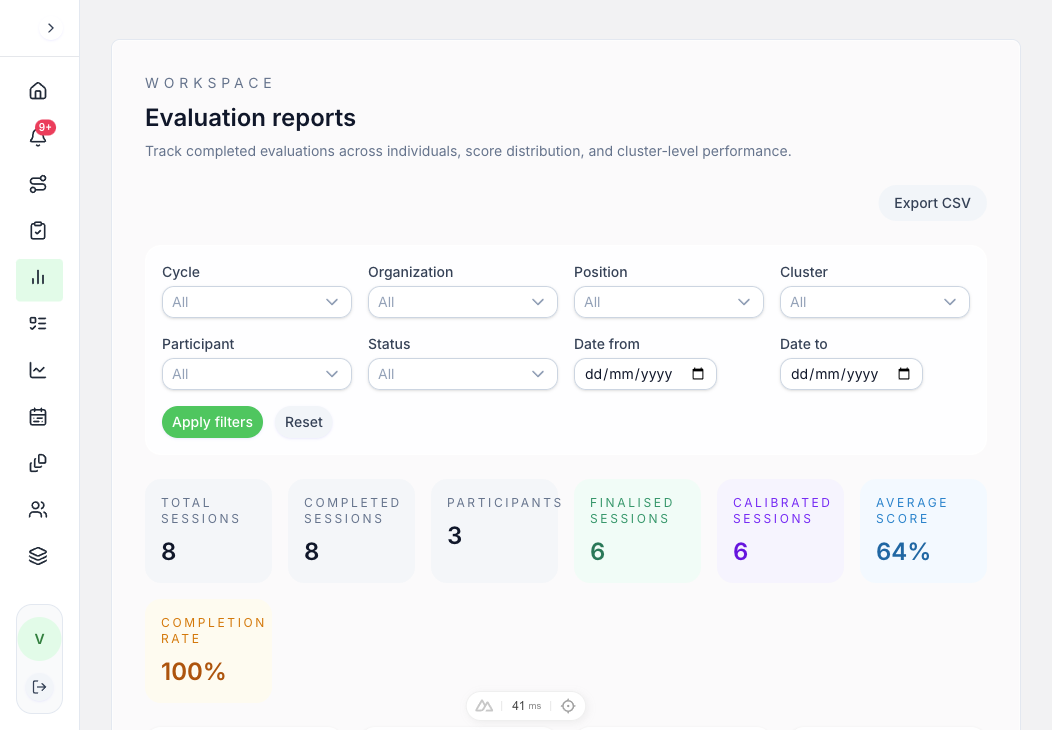
Evaluation Reports & Analytics
Comprehensive analytics dashboards show session metrics, completion rates, score trends, status distributions, weak-skill concentrations, and cluster performance—with CSV export for compliance.
- 8 sessions, 3 participants, 64% average score
- Pie charts for status distribution and cycle performance
- Weak-skill concentration and cluster performance breakdowns
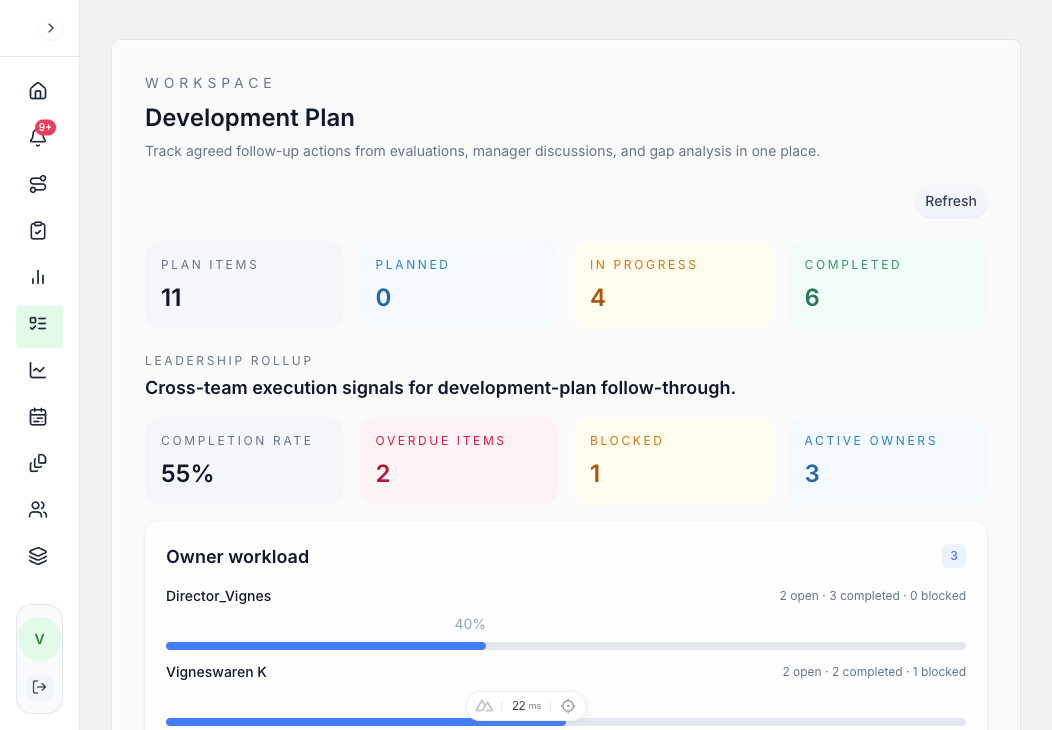
Development Plan Tracker
Convert skill gaps into tracked action items with owners, due dates, and statuses. Leadership rollup metrics show completion rate, overdue items, blocked items, and active owners at a glance.
- 11 items tracked (Planned, In Progress, Completed)
- 55% completion rate, 2 overdue, 1 blocked
- Owner workload distribution and participant action tracking
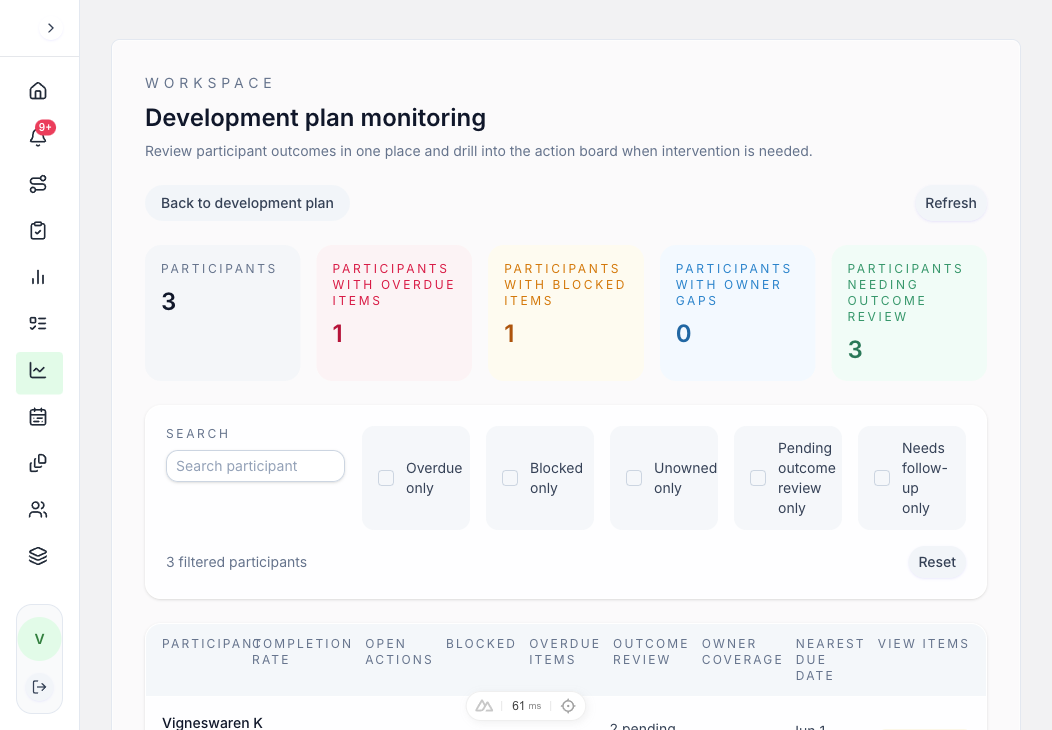
Development Plan Monitoring
Monitor outcome progress across all participants. Filter by overdue, blocked, or unowned items. Track completion rates, open actions, and nearest due dates per participant.
- Overdue, blocked, and unowned item filters
- Per-participant completion and outcome review status
- Owner coverage and nearest due date tracking
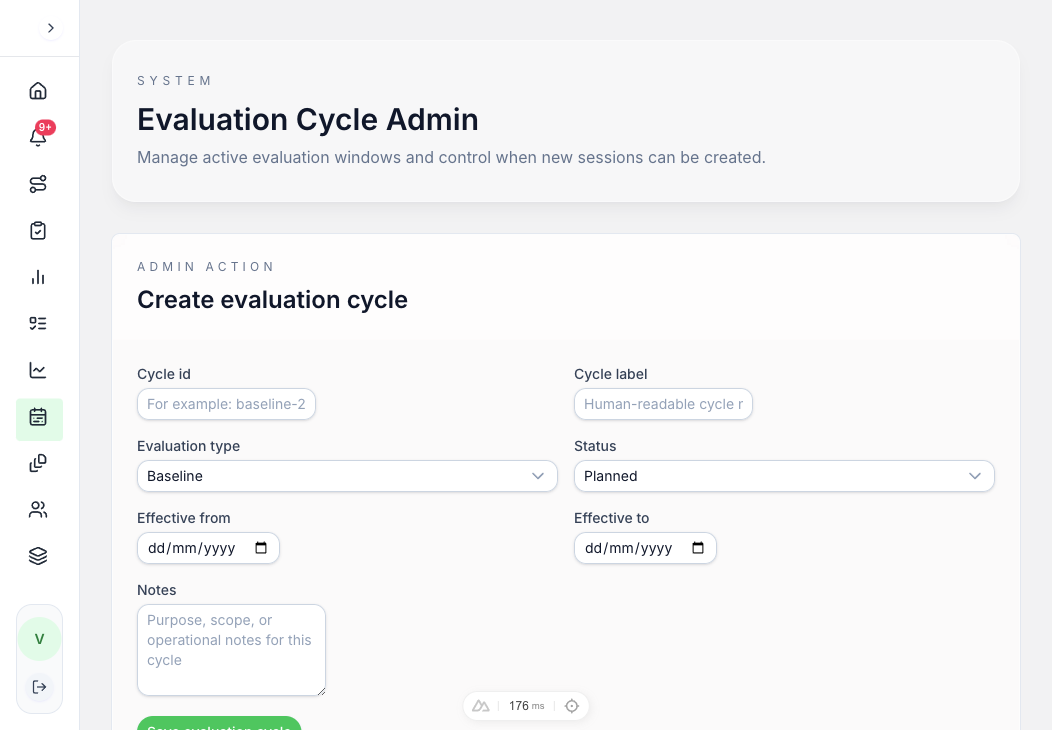
Evaluation Cycle Admin
Create and manage evaluation cycles with labels, types (baseline, periodic), status, effective dates, and session counts. Edit or close cycles as needed from a single admin view.
- Create cycles with ID, label, type, and date range
- Active cycle registry with session counts
- Edit and close cycle controls
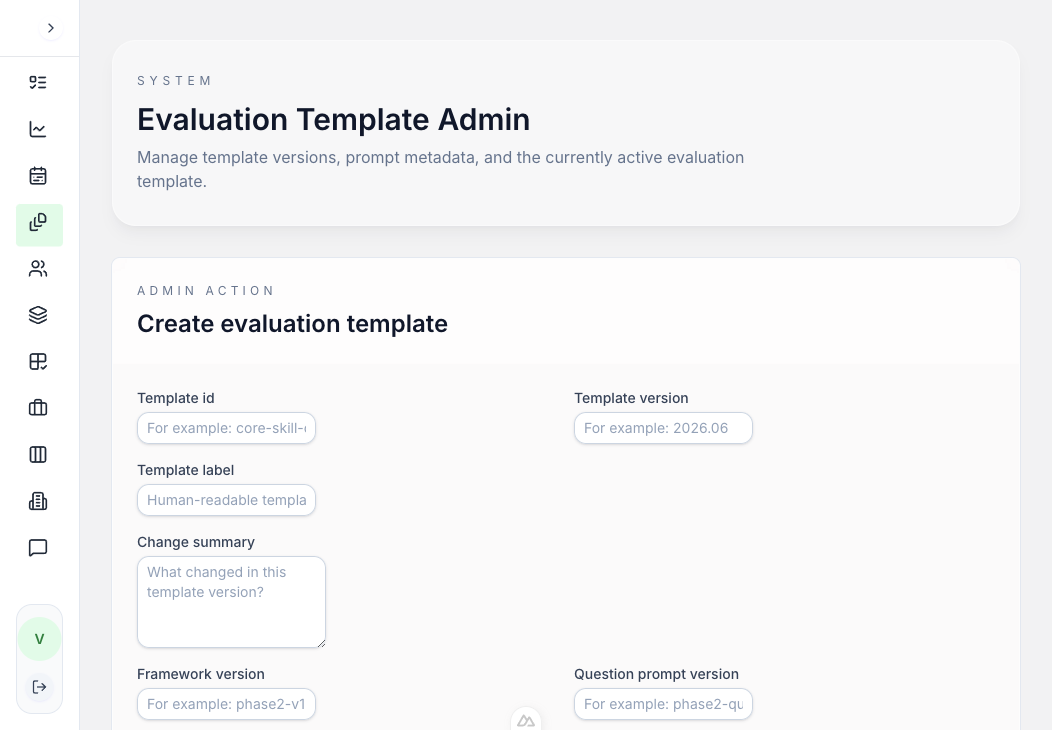
Evaluation Template Admin
Manage evaluation templates with framework versions, prompt versions, question types, and effective dates. Templates ensure consistency across evaluation cycles.
- Template versioning with change summaries
- Framework, question, and scoring prompt versions
- Question type checkboxes and active/archived states
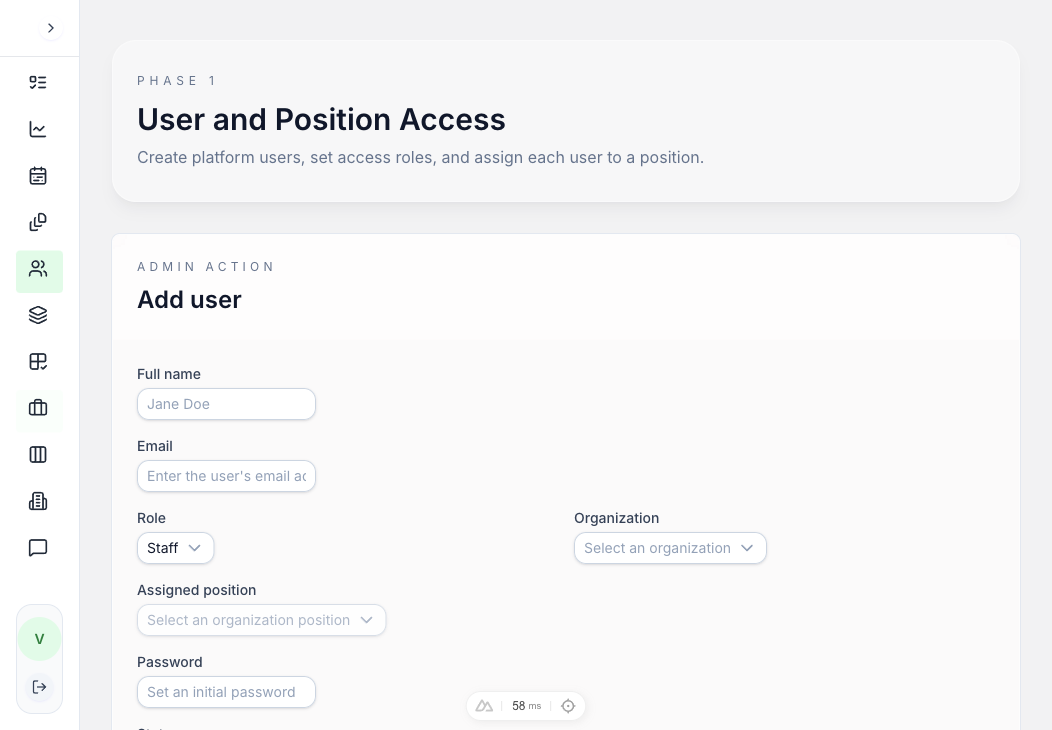
User & Position Access
Add and manage users with role-based access (Staff, Management, Admin), organization assignment, and position mapping. The access roster gives a clear view of who has access to what.
- Role-based access: Staff, Management, Admin
- Organization and position assignment per user
- User activation and edit controls
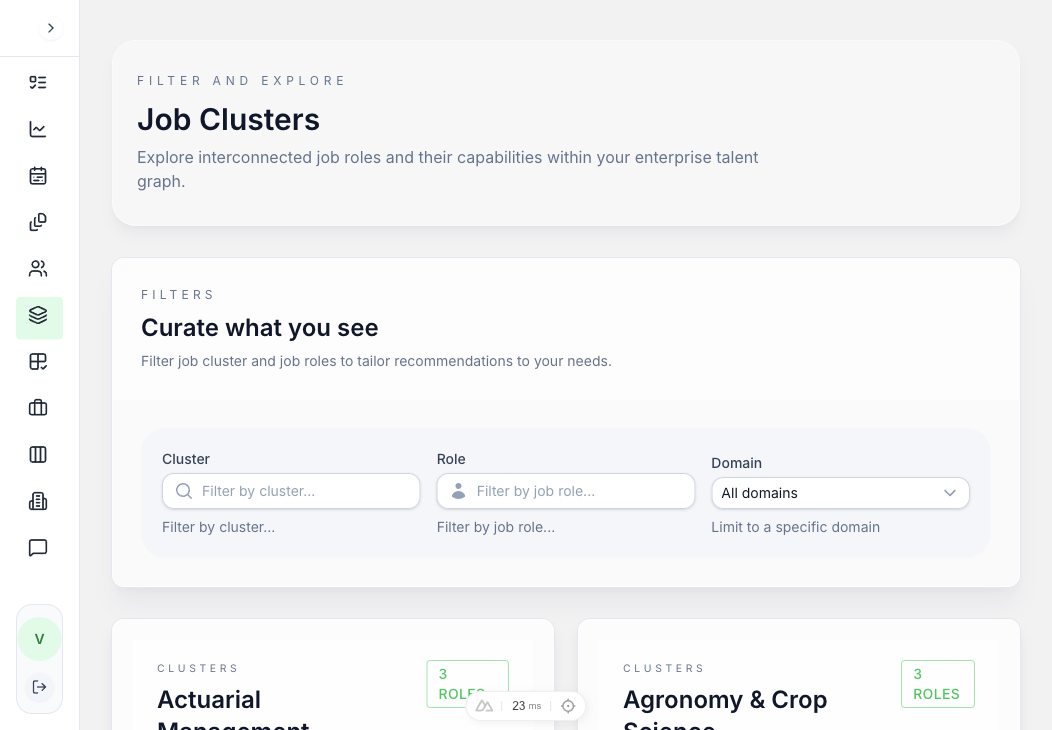
Job Cluster & Role Explorer
Browse 27 job clusters and 191 pre-configured roles with expandable role lists. Filter by cluster, role, and domain to find exactly the role you need.
- 27 clusters: Actuarial, Agronomy, Automation, Digital, Finance, and more
- Expandable role lists with skill counts
- Cluster, role, and domain filters
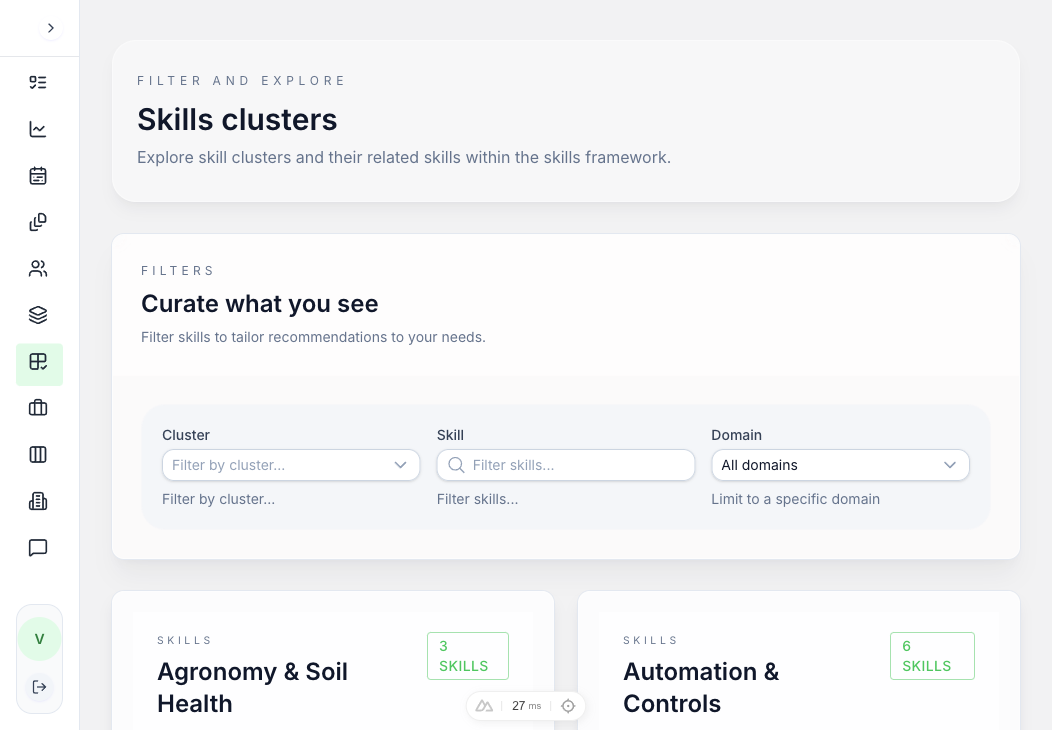
Skills Cluster Explorer
Explore 222 skills organised across 27 skill clusters. Each cluster expands to show individual skills with counts—making it easy to understand the full skills taxonomy at a glance.
- 222 skills across 27 clusters
- Risk Management cluster alone has 31 skills
- Cluster, skill, and domain filtering
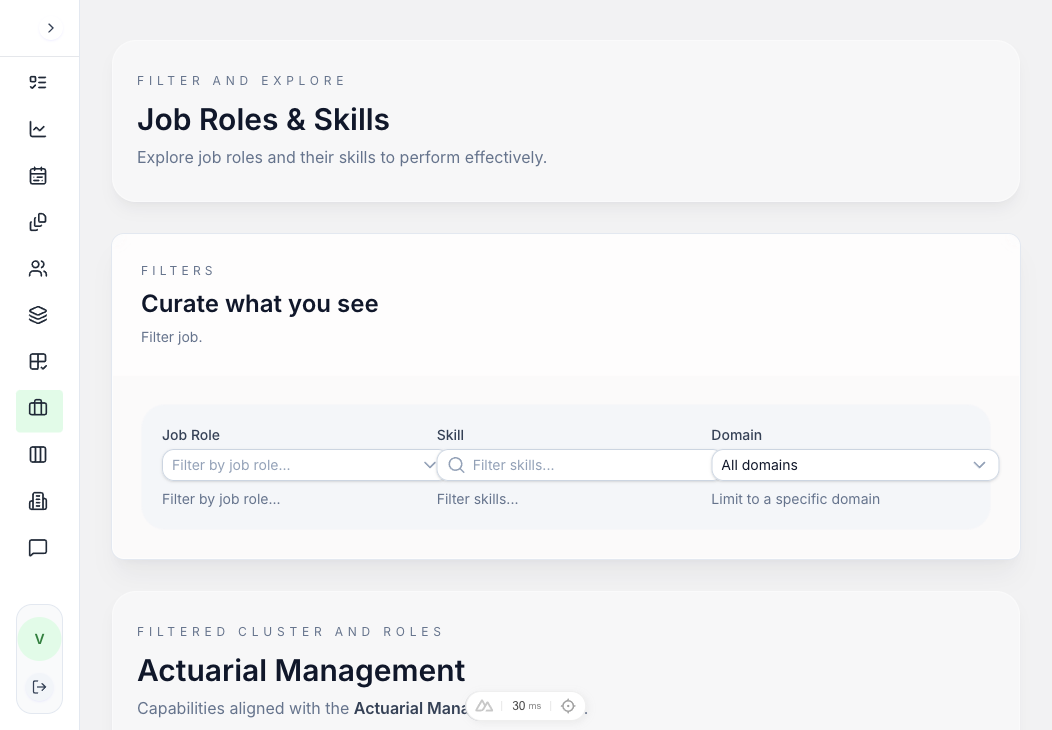
Job Roles & Skills Mapping
See which skills are required for each job role. Expand any role to see its full skill list with descriptions—providing complete transparency into role-skill relationships.
- Role descriptions with key responsibilities
- Skill requirement counts per role (e.g., 38 skills)
- Expandable skill listings organized by cluster
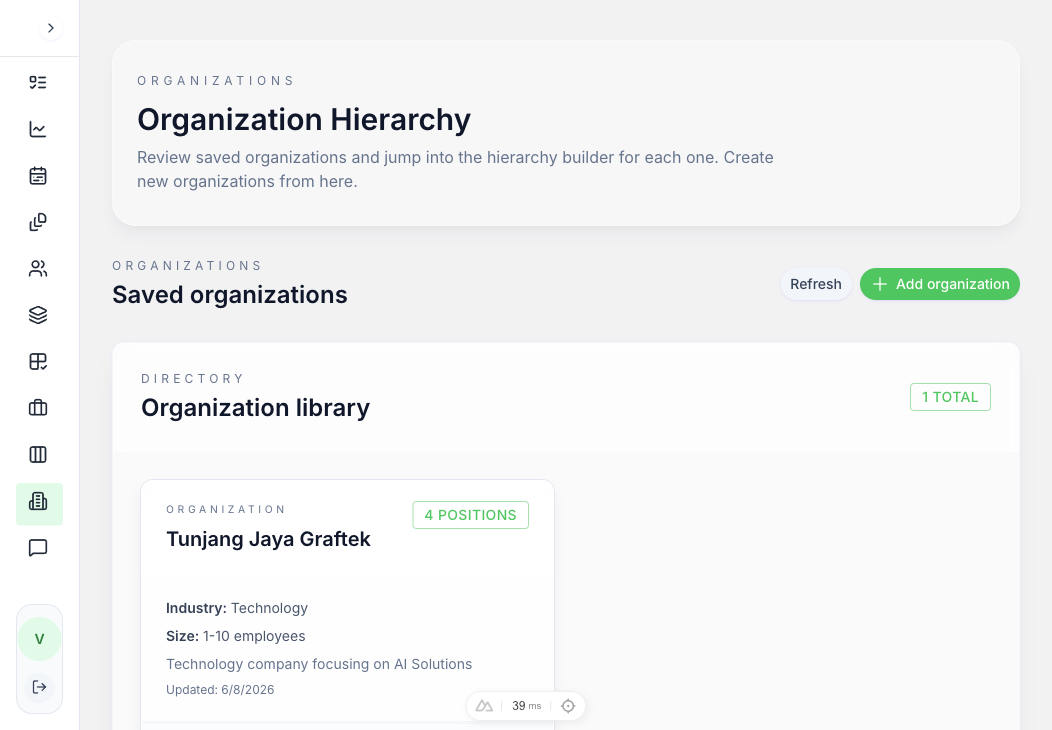
Organization Hierarchy Manager
Manage organizations with industry, size, and position mappings. Add, configure, or remove organizations and see position counts and update timestamps.
- Organization directory with industry and size
- Position count and last updated tracking
- Configure and delete organization actions
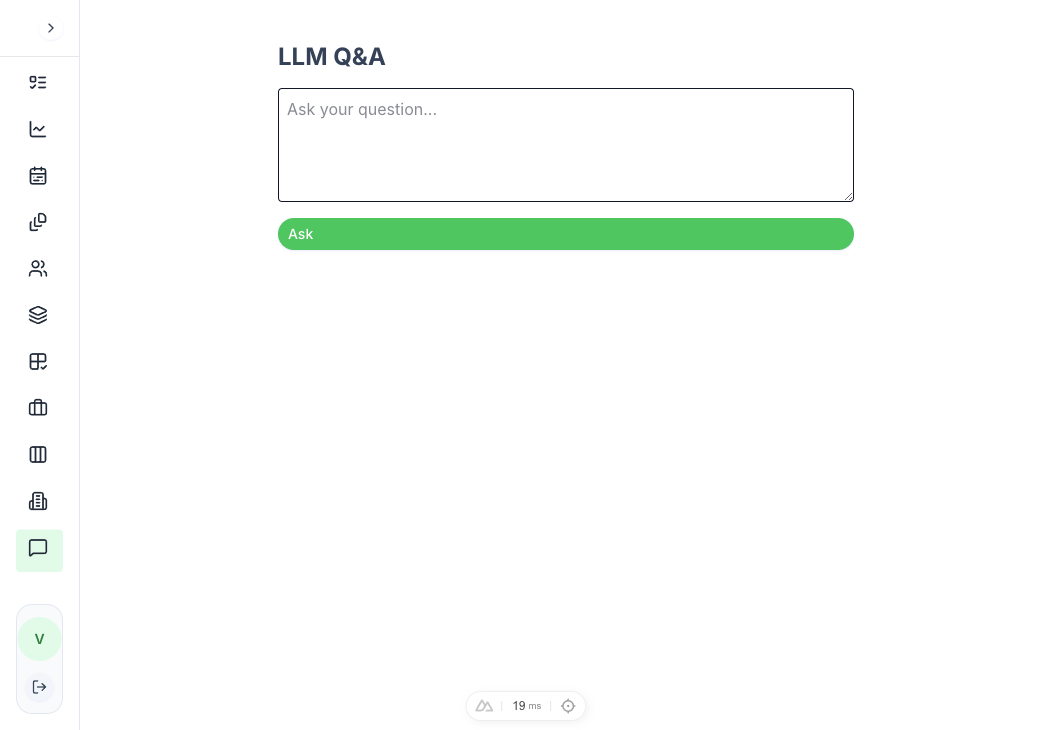
LLM-Powered Q&A
Ask questions about your talent data in natural language. The built-in LLM assistant queries the graph and returns answers—making complex data accessible to non-technical users.
- Natural language query interface
- Graph-powered answers from live data
- Accessible to all user roles
Connects to the tools you already use.
Proficia360 is built to fit into your existing HR and learning stack—not replace it.
HRMS / LMS Integration
Connect Proficia360 to your existing HR Management System or Learning Management System so skill data stays synchronised and employee records remain the single source of truth.
AICB Future Skills Framework
The AICB FSF is baked in out of the box—so banking institutions can launch with a fully validated skills taxonomy from day one, then customise to their own architecture.
Multi-Stakeholder Access
HR Business Partners, L&D teams, managers, and employees each get a tailored view—assessment results for individuals, gap dashboards for managers, org-wide metrics for leadership.
API-First Architecture
A GraphQL API backed by a graph database means every data point is queryable. Build custom integrations, dashboards, or automation on top of the platform without touching the core.
Ready to see it in action?
Request early access and get hands-on onboarding, configuration support, and go-live guidance from the Proficia360 team.